

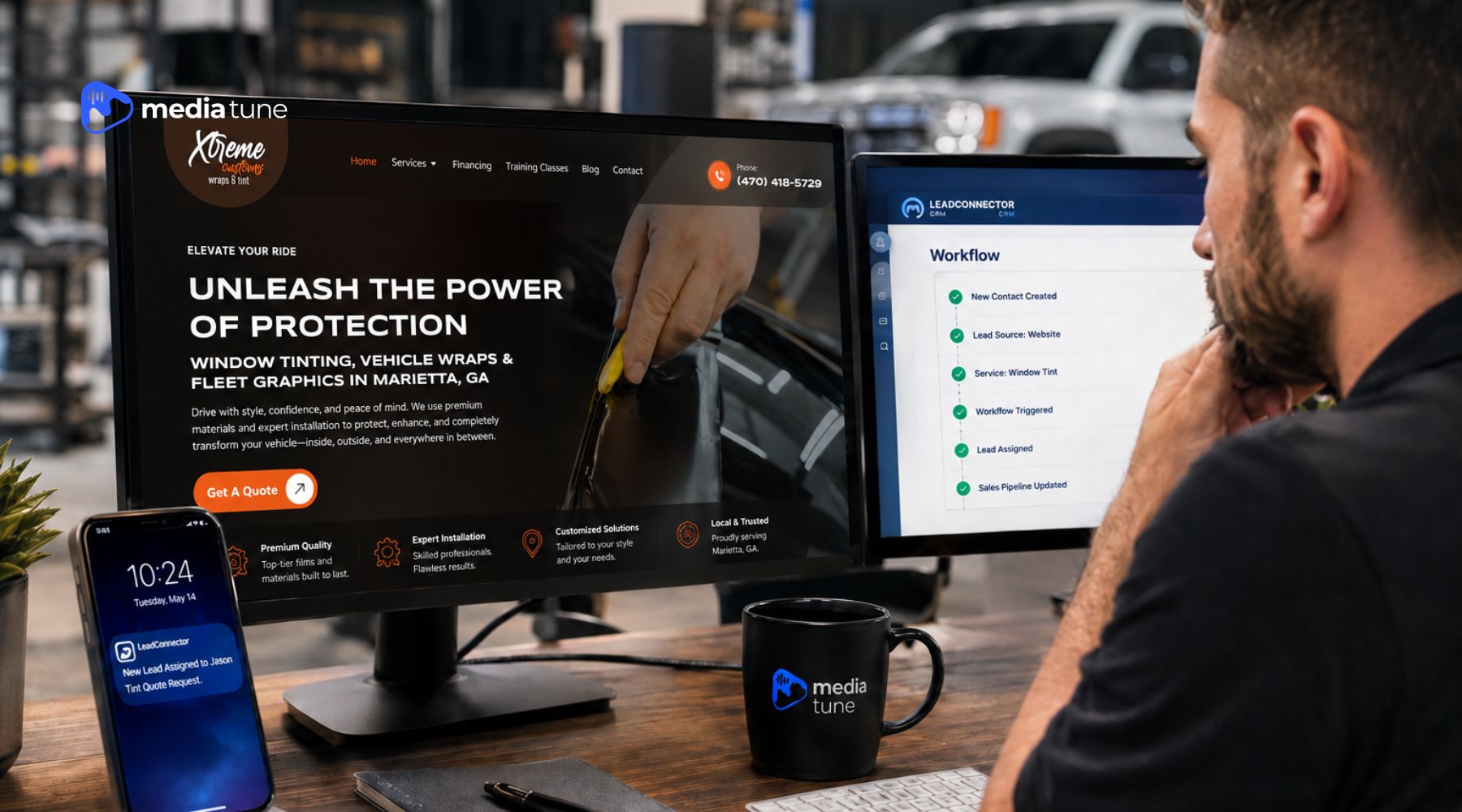
LeadConnector webhooks can improve speed-to-lead by moving new lead information into GHL, also known as HighLevel, and triggering the next step without waiting for someone to copy, check, or route the inquiry manually.
For an automotive business, that can mean a quicker acknowledgment, faster staff notification, cleaner lead assignment, and a more organized pipeline.
The important part is not the webhook itself. The real value is what happens after the lead arrives.
A tint shop may get a quote request while the front desk is helping a customer. A PPF lead may come in after hours. A car audio inquiry may start from an ad, a website form, or another tool the shop uses.
If those leads sit in an inbox until someone notices them, the business has created a delay before the conversation even begins.
The Simple Version: A Webhook Is Just a Messenger
The word “webhook” sounds more technical than the job it usually performs.
Think of it as a messenger between two systems. Something happens in one place, such as a customer submitting a form, and the webhook sends the useful details to another system so a workflow can react.
HighLevel supports inbound webhooks that can start workflows when data comes in from an external application. Once the information is received, it can be mapped into the workflow and used for the next actions.
For a shop owner, the useful question is not, “How does the webhook request work?”
It is, “What should happen the moment this lead comes in?”
| Step | What Happens | Why It Matters |
|---|---|---|
| 1 | A customer submits a quote request or another lead event occurs | The inquiry enters the system |
| 2 | The lead information reaches GHL | The team does not have to re-enter details manually |
| 3 | A workflow recognizes the source or service interest | The next step can match the inquiry |
| 4 | GHL acknowledges, alerts, or assigns the lead | The lead gets attention faster |
| 5 | The opportunity is placed in the right pipeline stage | The team can see what still needs follow-up |
The webhook carries the signal. The workflow handles the process.
Speed-to-Lead Is Really a Follow-Up Problem
Automotive businesses are busy for a reason. Installers are working on vehicles, service advisors are talking with customers, and owners are moving between estimates, scheduling, vendors, and the shop floor.
Speed-to-lead is not only about sending a text quickly. A better definition is how quickly a new inquiry is acknowledged, organized, assigned, and moved toward a real conversation.
If someone requests a PPF quote, the lead source and service interest should be easy to see. If a call is missed, the caller should not have to wonder whether the business ever saw it.
GHL workflows can automate repetitive steps such as follow-up, internal notifications, contact assignment, and pipeline actions. That gives the team a better starting point when a person takes over the conversation.
Automation should remove waiting and repetitive admin work. It should not remove the human part of selling the service.
What Automotive Shops Can Automate Without Making It Robotic
The best automations are usually the ones customers barely notice.
Acknowledge New Quote Requests
When a lead submits a form, GHL can trigger a workflow that confirms the inquiry was received. The first message does not need to sell the entire service. It can simply confirm the request, set the next expectation, and make it easy to continue the conversation.
For a tint or PPF quote, the next useful question might be about the vehicle year, make, model, desired coverage, or preferred timing. The exact questions should match the shop’s real sales process.
Route Leads to the Right Person
HighLevel workflows can assign contacts to team members automatically, including round-robin distribution when more than one person handles leads.
That can help a growing shop avoid the “I thought someone else called them” problem. A routing rule can also separate different service inquiries, such as vehicle electronics going to one advisor and tint or protection going to another.
Handle Missed Calls Faster
HighLevel’s Missed Call Text Back feature can automatically send an SMS when an inbound call is missed.
This can be useful during installations, after hours, or any time the phone cannot be answered immediately. It does not replace a callback. It simply acknowledges the call and gives the customer another way to continue the conversation.
Keep Leads Visible in the Pipeline
HighLevel opportunities and pipelines show where a potential sale stands. A shop might use stages such as New Lead, Contacted, Quote Sent, Appointment Booked, Follow-Up Needed, Won, or Lost.
The exact labels matter less than consistency. If every salesperson tracks leads differently, the owner cannot get a reliable picture of what is happening.
A Simple Example: A Tint Quote Comes In After Hours
Imagine a customer submits a tint quote request at 7:40 p.m. The shop is closed, so nobody is watching the inbox.
With a connected GHL lead flow, the form can reach GHL, create or update the contact, record the source and requested service, place the lead in a New Lead stage, send a short acknowledgement, and notify or assign the right person for follow-up.
The webhook is not closing the job or deciding whether the customer is qualified.
It is helping the information arrive where the response process can start.
That is why the workflow should be designed around the business first and the software second.
Not Every Lead Flow Needs a Webhook
A webhook is useful when two systems need to pass information and there is not a simpler connection already doing the job. But adding a webhook to every form or tool can create unnecessary complexity.
HighLevel now supports External Tracking for supported forms on external websites, which can capture submissions directly into the CRM without a custom webhook or Zapier setup in some cases.
- Use a direct or native connection when it handles the job well.
- Use GHL’s built-in workflow triggers when the event already exists inside the platform.
- Use a webhook when a custom handoff between systems is actually needed.
A good CRM setup should have fewer weak links, not more moving parts.
If you use GHL, you may see the LeadConnector name in integration tools, API documentation, or connected apps. The practical question is where the lead starts, what information needs to reach GHL, and what should happen next.

What Should an Automotive Business Automate First?
Start with the places where leads are most likely to wait.
Missed calls: If the team regularly misses calls while working with customers or vehicles, missed-call acknowledgement is a practical first step.
Website and landing-page forms: A lead should not disappear into an inbox that only one person checks. Media Tune’s website development approach focuses on lead forms that connect with a CRM for faster follow-up and lead management.
Lead assignment and notifications: Decide who owns a new inquiry and how that person should be notified. If multiple people handle leads, use a clear distribution rule.
Pipeline entry: Every serious inquiry should have a visible next step. If the team cannot tell whether a lead is new, contacted, quoted, booked, or waiting, the CRM is not doing enough operational work.
Only after those basics are stable should the business add more advanced webhook connections.
Where Media Tune Can Help With a GHL Lead Flow
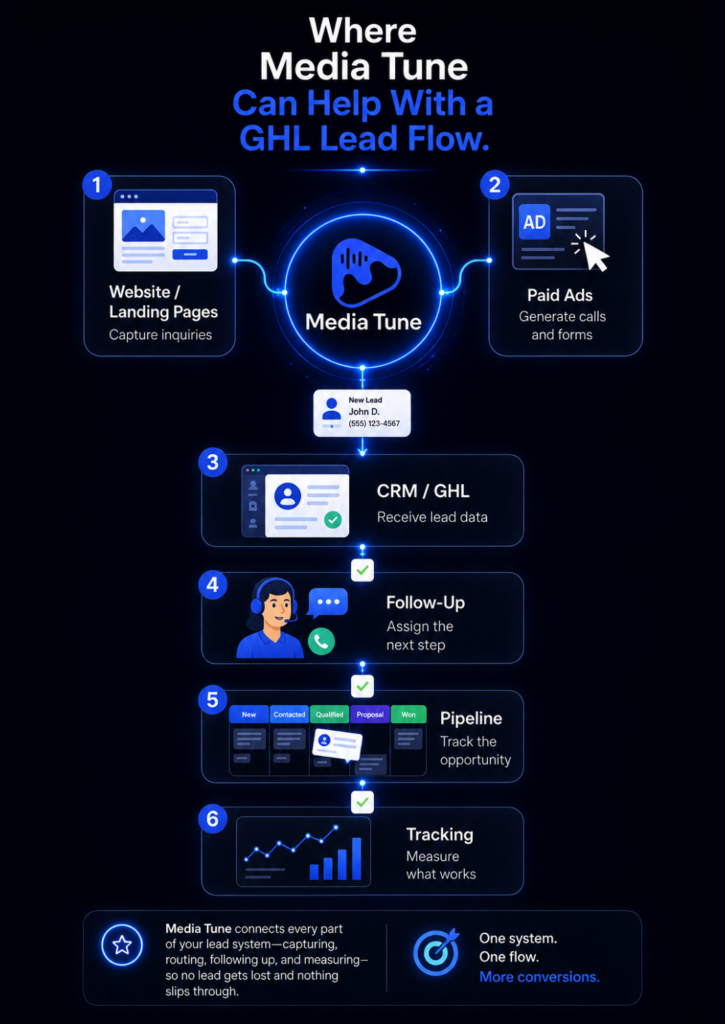
Getting more leads is only one part of the marketing system.
The website has to capture the inquiry. Paid advertising needs to show which campaigns are generating real calls and forms. The CRM has to receive the right information. The follow-up process has to make the next action obvious.
For businesses using GHL, Media Tune can help plan and configure those pieces into a cleaner lead path around the marketing channels and website experience. That may include reviewing where leads enter the CRM, what source and service information should travel with them, which inquiries need an immediate acknowledgement, who owns the next step, how the lead enters the pipeline, and which actions should be tracked back to marketing.
Media Tune already builds conversion-focused landing pages and websites with CRM-connected forms, and its paid advertising work includes conversion tracking for calls, forms, and key actions. If the first problem is the page itself, Media Tune’s guide to what makes a business website convert visitors into customers explains the lead-capture side of the system in more detail.
The goal is not to give an automotive shop a more complicated software stack.
It is to help the shop respond more consistently to the leads it is already paying or working to generate.
What a Good GHL Automation Should Not Do
Automation becomes a problem when it creates more noise than clarity.
A useful setup should avoid:- Sending a long generic message sequence before the team understands what the customer needs
- Creating duplicate contacts or opportunities
- Routing every lead to everyone on the team
- Moving pipeline stages when the real business event did not happen
- Making customers fight through automation when they are ready to speak with a person
A clean rule is: automate the handoff, keep the conversation human.
What Should You Track After the Integration Is Live?
Start with practical questions:
- Where did the inquiry come from?
- Which service did the customer ask about?
- Was the lead acknowledged?
- Who owns the follow-up?
- What pipeline stage is the opportunity in?
- Did the customer book, request a quote, stop responding, or choose not to move forward?
That information connects marketing activity with sales follow-up.
If ads are producing leads but many are never contacted, the problem is not necessarily the campaign. If leads are contacted but few are booking, the team can look at qualification, offer, pricing conversations, or sales process instead.
Better tracking helps the business ask better questions.
Signs Your Current Lead Flow Needs Work
Your lead process deserves attention if form submissions regularly wait in an inbox, missed calls are returned much later, team members are unsure who owns a lead, source information is missing, quote requests are copied manually between systems, or the owner has to ask staff for a manual lead count every week.
Those are business-process problems first.
GHL, workflows, and LeadConnector webhooks are tools that can help fix the handoffs when they are configured around a clear process.
Build a Faster Lead Response System Without Making It Complicated
A good LeadConnector webhook integration should make a lead easier to respond to, easier to route, and easier to track.
For automotive businesses, the opportunity is not adding automation everywhere. It is removing delays between a customer raising their hand and the right person knowing what to do next.
If your shop is already using GHL, Media Tune can help review how your website, landing pages, lead sources, tracking, and follow-up process work together. The goal is a simpler path from inquiry to conversation, with the right information available when your team needs it.
Book a strategy call with Media Tune to talk through where leads are coming from, where follow-up is slowing down, and where GHL can support a cleaner process.
If you use GHL, you may see the LeadConnector name in integration tools, API documentation, or connected apps. The practical question is where the lead starts, what information needs to reach GHL, and what should happen next.
FAQs About Business Website Conversion
A LeadConnector webhook integration passes information between GHL/LeadConnector and another system when a specific event happens. It can start a workflow, update information, or pass data to another connected tool.
Not always. If GHL already has a native trigger, direct integration, or supported external-form tracking for the job, that may be simpler. Webhooks are most useful when a custom system-to-system handoff is needed.
Yes. HighLevel has a Missed Call Text Back feature that can automatically send an SMS after an inbound call is missed. The message should support the team’s callback process rather than replace it.
Yes. HighLevel workflows can assign contacts to one or more users, including round-robin distribution, and can notify the assigned team member.
The setup can become technical depending on the systems being connected, but the business owner does not need to understand the code. The owner needs to define the lead source, required information, response rule, owner, and desired outcome.
No. Faster follow-up cannot fix poor lead quality, weak qualification, pricing problems, or a bad customer experience. It can reduce avoidable delays and make it easier for the team to respond consistently.